share
TRENDING
How to Add Yourself to Google Search (Google People Card Guide 2026)
March 23, 2026
16 Views
Add Me to Search in Google: Complete Step-by-Step Guide (2026)
If you’ve ever searched your name on Google and wondered how some people get a clean profile box on the right side (with photo, bio, social links), that feature is called “Add Me to Search” or a Google People Card.
In this guide, I’ll show you step-by-step how to create your own Google People Card and rank it properly so others can find you easily.
🔍 What is “Add Me to Search” in Google?
“Add Me to Search” is a feature by Google that allows individuals to create a virtual business card that appears in search results.
It includes:
-
Your name
-
Profession
-
Location
-
Profile photo
-
Website/social links
👉 It’s especially useful for:
-
Freelancers
-
Developers
-
Digital marketers
-
Students
-
Business owners
✅ Requirements Before You Start
Before creating your Google People Card, make sure:
-
You have a Google account (Gmail)
-
You are using mobile browser (important)
-
You are located in a supported country (like India)
🚀 Step-by-Step: How to Add Yourself to Google Search
Step 1: Open Google Search
Go to:
👉 https://www.google.com
Step 2: Search This Keyword
Type in search bar:
👉 “Add me to search”
Step 3: Click “Get Started”
You’ll see a box like:
👉 “Add yourself to Google Search”
Click on Get Started
Step 4: Fill Your Details Properly
Now enter your details carefully:
🔹 Basic Info
🔹 About Section (Important for SEO)
Write a short bio like:
I am a Python Full Stack Developer specializing in Django, APIs, and automation tools.
👉 Use keywords related to your work!
Step 5: Add Contact & Links
Add:
-
Website (if any)
-
LinkedIn
-
GitHub
-
Instagram
👉 This improves your Google ranking & trust
Step 6: Add Location & Profession
Example:
Step 7: Preview & Submit
Click:
👉 Preview → Save
Done! 🎉
⏳ How Long Does It Take to Appear?
Usually:
🔥 SEO Tips to Rank Your Google People Card
To make your profile rank higher:
✅ 1. Use Proper Keywords
Include:
-
Your profession (e.g., “Python Developer”)
-
Skills (Django, React, SEO, etc.)
✅ 2. Use Real Name Consistently
Use same name across:
✅ 3. Add High Authority Links
Google trusts:
-
LinkedIn
-
GitHub
-
Personal website
✅ 4. Keep Updating Profile
Regularly update:
✅ 5. Search Your Name Regularly
Search your name on Google to:
-
Boost visibility
-
Check ranking
❌ Common Mistakes to Avoid
🧠 Pro Tip (Very Important)
If your name is common:
👉 Add a unique keyword with your name
Example:
🔗 Important Links
👉 Add Me to Search:
https://www.google.com/search?q=add+me+to+search
👉 Google Help Page:
https://support.google.com/websearch/answer/9755952
🎯 Final Words
Creating your Google People Card is one of the easiest ways to build your online presence.
If done correctly:
share Share now

 All Services
 Service Experts
 IT Service
 Explore Travel
 Gym
Gym Products
 Vouchers & Deals
 Blogs
Blogs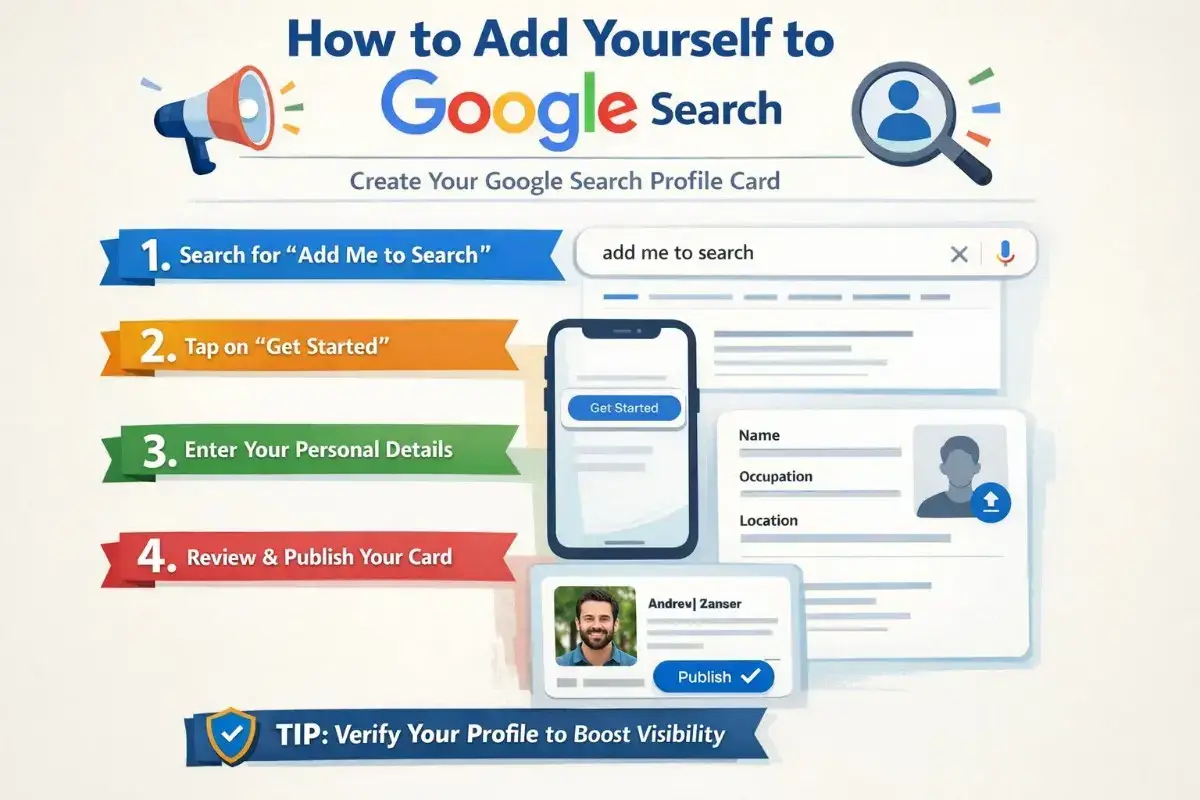



 Hotels
 Spa
Spa Support